Introduction
Have you ever wanted to write something but did not know where to start?
Maybe you wanted to write:
* A blog post
* An email
* A school assignment
* A social media post
* A product description
* A business letter
But the words just would not come.
This happens to many people.
Writing can take a lot of time.
Sometimes you know what you want to say, but you cannot find the right words.
Sometimes you feel tired.
Sometimes you are simply too busy.
The good news is that AI writing tools can help.
These tools can help you:
* Think of new ideas
* Write a first draft
* Fix grammar mistakes
* Improve your sentences
* Make your writing easier to read
But remember something very important.
AI is not here to replace your ideas.
It is here to help you express them more clearly.
Think of AI as a helpful writing partner.
It gives you a good starting point, but you are still the writer.
In this guide, I will explain everything in simple English.
By the end of this article, you will understand:
* What AI writing tools are
* Why people use them
* Their biggest benefits
* How they work
* How to choose the right tool
* Common mistakes to avoid
* The best AI writing tools for beginners
Let’s get started.
What Are AI Writing Tools?
AI writing tools are software programs that use artificial intelligence to help you write.
Let’s make that even simpler.
Imagine you need to write a blog article.
You know the topic.
But you do not know how to begin.
An AI writing tool can help you:
* Suggest a title
* Create an outline
* Write a first draft
* Improve your grammar
* Rewrite difficult sentences
* Check your spelling
This saves you time and makes writing easier.
Remember, AI writes with you.
It should not write instead of you.
The best results happen when you work together with the AI.
Why Do People Use AI Writing Tools?
Millions of people now use AI writing tools every day.
Why?
Because writing is part of many jobs and daily activities.
For example, people need to write:
* Emails
* Blog posts
* Reports
* Social media updates
* Business documents
* Website pages
* Product descriptions
AI helps make these tasks faster and easier.
Let’s look at the biggest reasons.
1. AI Helps You Save Time
Writing from a blank page can be difficult.
AI helps you create a first draft in just a few minutes.
Instead of staring at an empty screen, you already have something to improve.
This saves valuable time.
2. AI Helps You Find Ideas
Sometimes the hardest part of writing is finding an idea.
AI can suggest:
* Blog topics
* Headlines
* Introductions
* Conclusions
* Content outlines
These ideas help you get started more quickly.
3. AI Improves Your Grammar
Even good writers make mistakes.
AI writing tools can help you correct:
* Grammar
* Spelling
* Punctuation
* Sentence structure
This makes your writing easier for readers to understand.
4. AI Makes Writing Easier
Many people feel nervous about writing.
AI can make the process feel less stressful.
Instead of trying to write everything yourself, you have a helpful assistant guiding you.
5. AI Helps You Learn
One of the best things about AI writing tools is that they can teach you.
As you read the suggestions, you learn:
* Better sentence structure
* Clearer writing
* Simpler words
* Better organisation
Over time, your own writing skills improve.
Benefits of AI Writing Tools
Let’s look at some of the biggest advantages.
You Write Faster
Instead of spending hours writing a first draft, AI helps you get started quickly.
You can spend more time improving your work instead of wondering how to begin.
You Become More Confident
Many beginners worry about making mistakes.
AI helps by suggesting better words and correcting errors.
This makes writing feel less frightening.
You Improve Your Communication
Clear writing helps people understand your message.
Whether you are writing for school, work, or your business, good communication is important.
AI can help make your writing clearer.
You Stay More Productive
When writing takes less time, you can focus on other important tasks.
For example:
* Learning new skills
* Helping customers
* Growing your business
* Spending time with your family
You Can Write More Often
Many bloggers and business owners struggle to publish content regularly.
AI helps you create drafts more quickly.
This makes it easier to write consistently.
Who Can Use AI Writing Tools?
Almost anyone can benefit from AI writing tools.
Here are a few examples.
Bloggers
Create articles.
Plan content.
Write outlines.
Improve SEO.
Students
Write assignments.
Summarise lessons.
Improve grammar.
Organise ideas.
Freelancers
Write client proposals.
Reply to emails.
Create reports.
Manage communication.
Small Business Owners
Write:
* Product descriptions
* Marketing emails
* Website content
* Customer replies
Content Creators
Write:
* Video scripts
* Captions
* Social media posts
* Podcast outlines
Job Seekers
Create:
* CVs
* Cover letters
* Job application emails
Good writing can help make a strong first impression.
How AI Writing Tools Work
The process is much easier than many people think.
Let’s go through it step by step.
Step 1: You Tell the AI What You Need
Everything begins with your instructions.
For example:
* Write a blog post.
* Create an email.
* Rewrite this paragraph.
* Summarise this article.
* Improve my grammar.
The clearer your instructions are, the better the results.
Step 2: The AI Understands Your Request
The AI studies your instructions.
It then uses what it has learned to create helpful suggestions.
This usually happens within a few seconds.
Step 3: The AI Creates a Draft
Depending on your request, the AI may create:
* An outline
* A title
* A paragraph
* A complete draft
* A summary
* A rewritten version
This gives you a good starting point.
Step 4: You Review Everything
This is one of the most important steps.
Never copy and publish AI writing without checking it.
Always review:
* Facts
* Grammar
* Names
* Dates
* Links
* Tone
A careful review helps you avoid mistakes.
Step 5: Add Your Own Voice
This is where your writing becomes unique.
Add:
* Personal experiences
* Real examples
* Helpful tips
* Honest opinions
* Stories from your own life
Readers enjoy writing that feels personal and genuine.
Why Human Writing Still Matters
AI is a powerful writing assistant.
But it cannot replace you.
Only you know:
* Your experiences
* Your audience
* Your goals
* Your personal style
People connect with people.
They enjoy reading writing that feels honest, helpful, and natural.
Use AI to support your work.
Let your own voice make it special.
Your First Goal
If you have never used an AI writing tool before, start with one simple task.
For example:
* Write one email.
* Create one blog outline.
* Rewrite one paragraph.
* Brainstorm five article ideas.
Do not rush.
Learn one feature at a time.
As your confidence grows, you can use AI for bigger writing projects.
How to Choose the Best AI Writing Tool
There are many AI writing tools available today.
Some are free.
Some are paid.
Some are made for beginners.
Others are designed for professional writers.
So, how do you choose the right one?
The answer is simple.
Choose the tool that helps you solve your biggest writing problem.
Let’s go through it step by step.
1. Know What You Want to Write
Before you choose an AI writing tool, ask yourself one question:
**“What do I want to write?”**
Your answer will help you choose the right tool.
For example:
If you want to write:
* Blog posts
* Website pages
* SEO articles
Choose a tool that is good for long-form writing.
If you want to write:
* Emails
* Social media posts
* Product descriptions
Choose a tool that is designed for short content.
When you know your goal, choosing becomes much easier.
2. Choose a Tool That Is Easy to Use
If you are a beginner, do not choose software that is difficult to understand.
Look for an AI writing tool with:
* A simple dashboard
* Clear buttons
* Easy instructions
* Helpful tutorials
* Good customer support
The easier the tool is to use, the faster you will learn.
3. Start With a Free Plan
You do not need to spend money immediately.
Many AI writing tools offer:
* Free plans
* Free trials
* Affordable monthly subscriptions
Start with the free version.
As your writing improves, you can decide if you need extra features.
4. Read Reviews Before Choosing
Before paying for any tool, see what other people think.
Read reviews about:
* Ease of use
* Writing quality
* Features
* Speed
* Customer support
* Value for money
Reviews can help you avoid choosing the wrong tool.
5. Make Sure the Tool Fits Your Needs
Every writer is different.
A student may need help with assignments.
A blogger may need help with SEO articles.
A business owner may need help with emails and marketing.
Choose a tool that matches the type of writing you do most often.
Step-by-Step Guide to Using AI Writing Tools
You do not need to become an expert in one day.
Start with one simple task.
Then build your confidence.
Step 1: Decide What You Want to Write
Choose one writing task.
For example:
* A blog post
* An email
* A Facebook post
* A product description
* A newsletter
Having a clear goal helps the AI give you better results.
Step 2: Give Clear Instructions
Tell the AI exactly what you need.
Instead of writing:
“Write about dogs.”
Try something like:
“Write a beginner-friendly article explaining how to care for a pet dog using simple English and step-by-step advice.”
The more details you give, the better the draft will be.
Step 3: Read the First Draft
The AI will create a draft for you.
Do not rush to publish it.
Read it slowly.
Ask yourself:
* Does it make sense?
* Is it helpful?
* Is anything missing?
The first draft is only the beginning.
Step 4: Make It Sound Like You
This is one of the most important steps.
Add your own:
* Ideas
* Experiences
* Stories
* Tips
* Opinions
These personal touches make your writing unique.
People enjoy reading content that feels real.
Step 5: Check Everything Carefully
Always check:
* Facts
* Names
* Dates
* Grammar
* Spelling
* Links
Taking a few extra minutes can improve the quality of your work.
Step 6: Publish With Confidence
Once you have reviewed everything, your article is ready to publish.
Remember, good writing is not about being perfect.
It is about being helpful, honest, and easy to understand.
Practical Examples
Let’s look at some simple examples.
Example 1: A Blogger
A blogger wants to publish one article every week.
The AI helps:
* Suggest article ideas
* Create outlines
* Write first drafts
* Improve headings
The blogger edits the article, adds personal experience, and publishes it.
This saves time while keeping the content original.
Example 2: A Small Business Owner
A small business owner needs better product descriptions.
The AI creates the first draft.
The owner adds more details about the products and checks everything before publishing.
Customers get clearer information.
Example 3: A Student
A student needs help organising ideas for an assignment.
The AI creates an outline.
The student writes the assignment in their own words and checks it before submitting it.
The AI helps with planning, not with replacing the student’s own learning.
Example 4: A Freelancer
A freelance writer uses AI to:
* Draft emails
* Plan articles
* Rewrite paragraphs
* Brainstorm ideas
This helps the writer complete projects more quickly.
Helpful Tips
Here are some simple tips to help you get the best results.
Write Clearly
Clear instructions lead to better results.
Tell the AI exactly what you want.
Keep Learning
The more you use AI writing tools, the better you become at using them.
Practise often.
Try new features.
Keep improving.
Read Your Work Aloud
Reading your article aloud is a simple way to find awkward sentences.
If something sounds strange, rewrite it.
Your readers will appreciate clear writing.
Write for One Person
Imagine you are talking to one friend.
Use simple words.
Explain things slowly.
Answer the questions they are likely to ask.
This makes your writing warm and easy to follow.
Focus on Helping
Always ask yourself:
“Will this article help someone solve a problem?”
If the answer is yes, you are moving in the right direction.
Common Mistakes to Avoid
Many beginners make these mistakes.
You can avoid them.
Copying AI Word for Word
AI gives you a starting point.
Do not copy everything exactly as it is.
Rewrite, improve, and add your own voice.
Publishing Without Checking
Always review your work before publishing it.
Even good AI tools can make mistakes.
Using Difficult Words
Some people think big words make them sound smarter.
In reality, simple words are easier to understand.
Write so that almost anyone can enjoy your article.
Forgetting Your Reader
Do not write to impress people.
Write to help them.
Keep asking:
“Is this easy to understand?”
Giving Up Too Early
Writing is a skill.
The more you practise, the better you become.
AI can help you learn faster, but improvement still takes time.
Keep writing.
Keep learning.
Keep helping people.
Best AI Writing Tools for Beginners
Now that you understand how AI writing tools work, let’s look at some of the best ones you can use.
These tools are popular because they are easy to learn, helpful, and can save you a lot of time.
Remember, you do not need to use every tool.
Start with one that fits your needs.
As your writing skills grow, you can explore more tools.
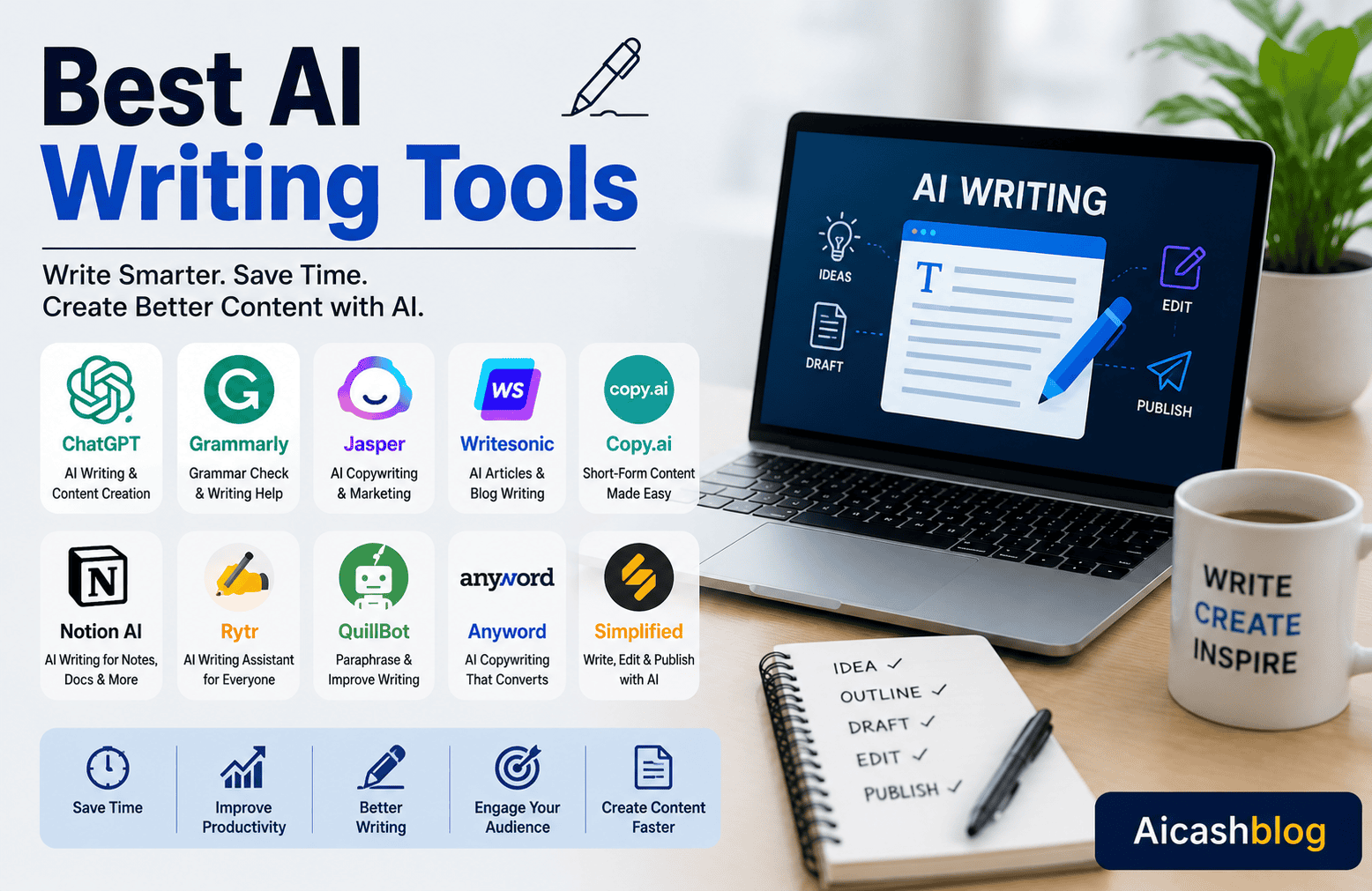
1. ChatGPT – Best for Everyday Writing
ChatGPT is one of the most popular AI writing tools in the world.
It can help you:
* Write blog posts
* Create article outlines
* Draft emails
* Brainstorm ideas
* Rewrite paragraphs
* Summarise information
* Create social media posts
It works well for beginners because you simply type what you need, and it gives you a helpful response.
Best for:
* Bloggers
* Students
* Freelancers
* Small business owners
* Content creators
2. Grammarly – Best for Grammar and Clarity
Grammarly helps you improve your writing.
It checks:
* Grammar
* Spelling
* Punctuation
* Sentence structure
* Clarity
It also suggests ways to make your writing easier to understand.
This is useful if you want your readers to enjoy your content.
3. Jasper – Best for Marketing Content
Jasper is designed for people who write marketing content.
It can help you create:
* Blog posts
* Product descriptions
* Sales pages
* Email campaigns
* Social media content
It is a good choice for business owners and digital marketers.
Remember to review and personalise everything before publishing.
4. Copy.ai – Best for Short Marketing Content
Copy.ai is useful when you need to write short pieces of content.
For example:
* Product descriptions
* Facebook posts
* Instagram captions
* Email subject lines
* Advertising copy
It is simple to use and saves time.
5. Writesonic – Best for SEO Articles
Writesonic is popular with bloggers and website owners.
It can help you create:
* SEO articles
* Landing pages
* Blog outlines
* Product descriptions
* Marketing content
Always check the facts and add your own experience before publishing.
6. Google Gemini – Best for Research
Google Gemini is useful when you want help with:
* Research
* Brainstorming ideas
* Summarising information
* Learning new topics
* Planning projects
It can save time when you are gathering information for your writing.
7. Microsoft Copilot – Best for Office Writing
If you often use Microsoft Word or other Microsoft Office apps, Copilot can help you:
* Draft documents
* Write emails
* Summarise meetings
* Create presentations
* Improve reports
It is especially useful for office workers and business professionals.
Which AI Writing Tool Should You Start With?
If you are completely new to AI writing, keep things simple.
A good beginner’s toolkit could include:
* ChatGPT for writing and brainstorming.
* Grammarly for grammar and spelling.
* Google Gemini for research and ideas.
As you become more confident, you can try tools like Jasper, Copy.ai, or Writesonic for more specialised writing tasks.
The best tool is the one that helps you solve your biggest writing challenge.
Frequently Asked Questions (FAQ)
What are AI writing tools?
AI writing tools are software programs that help you write faster and more clearly using artificial intelligence.
They can help you create drafts, improve grammar, organise ideas, and rewrite sentences.
Are AI writing tools free?
Many AI writing tools have free plans.
Some also offer paid plans with extra features.
You can usually begin with the free version and upgrade later if you need more advanced tools.
Can beginners use AI writing tools?
Yes.
Most AI writing tools are designed to be easy to use.
If you can use a computer or smartphone, you can learn these tools with a little practice.
Can AI replace human writers?
No.
AI can help you write faster, but it cannot replace your personal experiences, creativity, and understanding of your readers.
The best content combines AI with human knowledge and careful editing.
Will AI improve my writing?
AI can help you improve your grammar, sentence structure, and organisation.
However, you will become a better writer by practising regularly and learning from the suggestions AI provides.
Key Points to Remember
Let’s review the most important lessons from this guide.
* AI writing tools help you write more quickly and more confidently.
* Start with one simple tool instead of trying many at once.
* Give the AI clear instructions for better results.
* Always review and edit AI-generated content before publishing.
* Add your own ideas, stories, and experience to make your writing unique.
* Keep practising because writing is a skill that improves over time.
Here is one simple idea to remember:
AI can help you write faster, but your own voice, honesty, and desire to help people are what make your writing truly valuable.
Conclusion
AI writing tools have changed the way many people write.
They make it easier to start an article, organise ideas, improve grammar, and save time.
Whether you are a blogger, student, freelancer, or business owner, these tools can help you become a more confident writer.
But remember, AI is only a helper.
Your readers want to hear from a real person.
That is why you should always review your work, add your own ideas, and write with honesty.
When you combine AI with your own knowledge and experience, you can create content that is both useful and enjoyable to read.
Your Next Step
You do not need to learn every AI writing tool today.
Start with one simple writing task.
For example:
* Write one email.
* Create one blog outline.
* Rewrite one paragraph.
* Brainstorm five article ideas.
Choose one AI writing tool and practise using it every day.
As your confidence grows, you will find that writing becomes easier, faster, and more enjoyable.
Call to Action
Thank you for reading this guide on the Best AI Writing Tools.
I hope you now understand how AI can help you become a better and more productive writer.
If you found this guide helpful, save it so you can come back to it whenever you need it.
You can also share it with a friend, family member, or colleague who wants to improve their writing skills.